

Introduction
Looking for a free and reliable way to host your project with an SQL database—without needing a credit card? If you’re in Bangladesh, you’ve probably noticed that most cloud platforms, even their free tiers, require international card verification, which is often a hassle.
And while some offer limited trial periods, they rarely go beyond a few months and still ask for payment details upfront.
The good news? There are better, truly free alternatives.
Below is a curated list of cloud platforms that let you deploy apps 100% free, with no credit card required—just a simple email signup. These are perfect for demos, personal projects, or learning cloud deployment.
🌐 Free Cloud Platforms (No Card Needed)
✅ 1. Render
- Free tier for full-stack apps
- Built-in PostgreSQL (256MB)
- GitHub auto-deploy
Great for: Angular/React frontends + Node/.NET backends via Docker
✅ 2. Railway
- Free plan with PostgreSQL/MySQL
- Easy GitHub integration
Ideal for: Quick full-stack apps, CI/CD projects
✅ 3. Glitch
- Host Node.js apps or static sites
- Real-time editor
Note: Apps sleep when idle
Use for: Lightweight backends, demos
✅ 4. Replit
- Online IDE + hosting
- Multiple language support
Best for: Prototyping, learning
DB: Use Firebase or external services
✅ 5. Cyclic
- Node.js hosting with GitHub deploy
- Works well with external PostgreSQL
Best for: APIs, webhooks, quick backends
✅ 6. Supabase
- Free PostgreSQL, Auth, and APIs
- No card required
Use with: Vercel (frontend) or Render/Railway (custom backend)
🎁 Bonus: SmarterASP.net – 60-Day Trial (No Card Needed)
- ASP.NET + SQL Server hosting
- Visual Studio publish + remote DB access
Perfect for: .NET developers testing real-world deployment
This makes it an excellent option for developers and students who want to deploy their projects without financial or technical barriers. We will discuss SmarterASP.net below
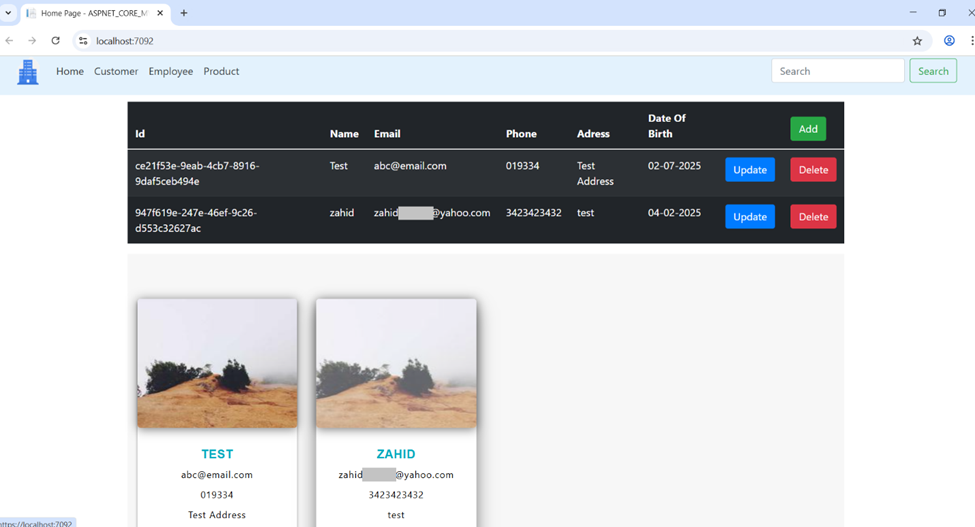
✅ Step 1: Web Application
Make sure your web application is running successfully on your local machine before moving to deployment
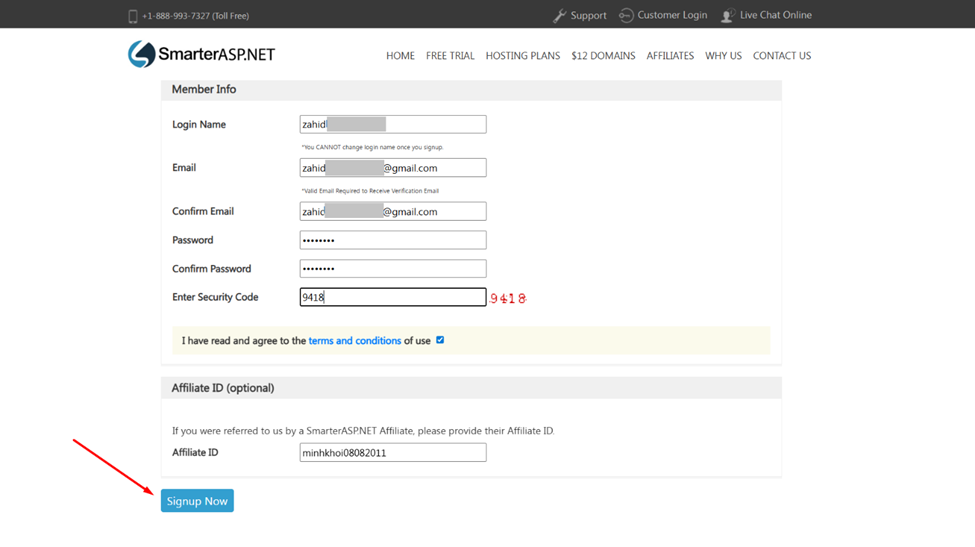
✅ Step 2: Sign Up on SmarterASP.NET
- Go to https://www.smarterasp.net
- And Sign Up using your Email (It’s a simple process)
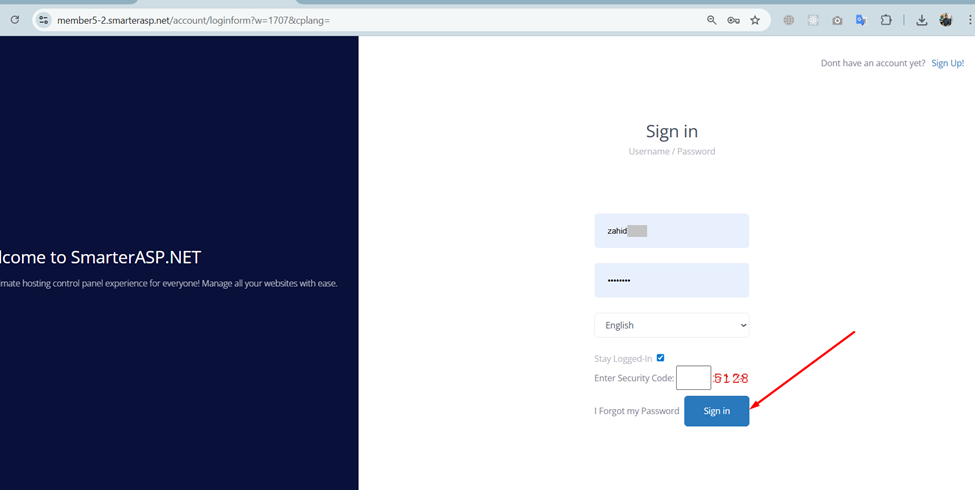
- Log in
✅ Step 3: Hosting Configuration
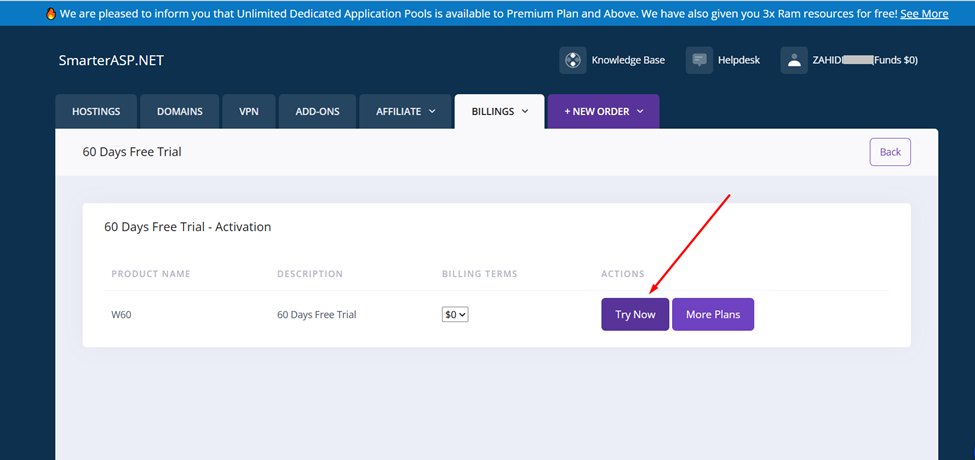
After logging in, you’ll be redirected to the billing page. Click the “Try Now” button to activate your free hosting.
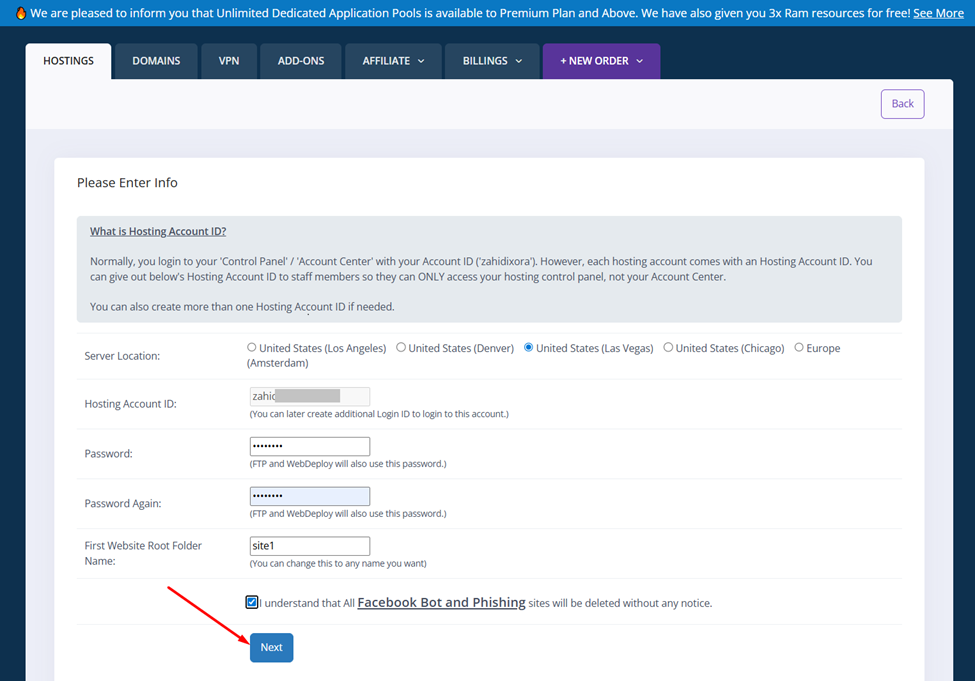
Enter your Hosting info then Click on Next
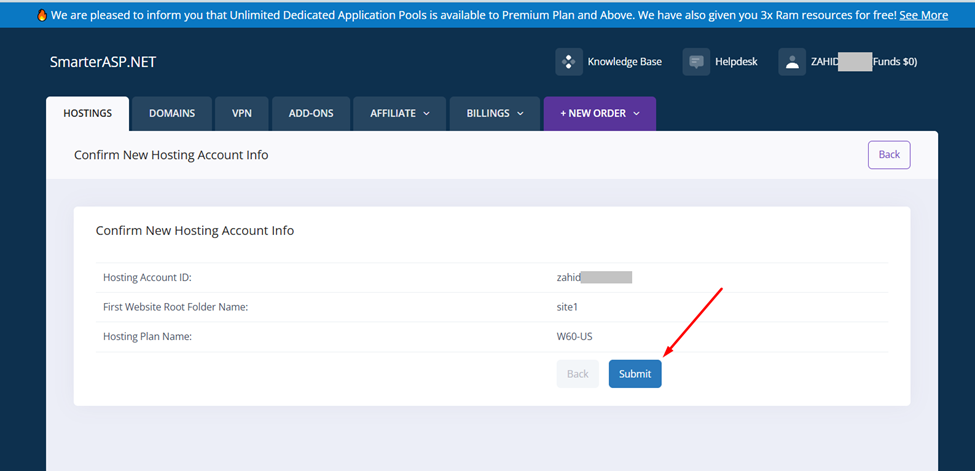
Then click Submit (May take 1 to 3 minutes to create your hosting)
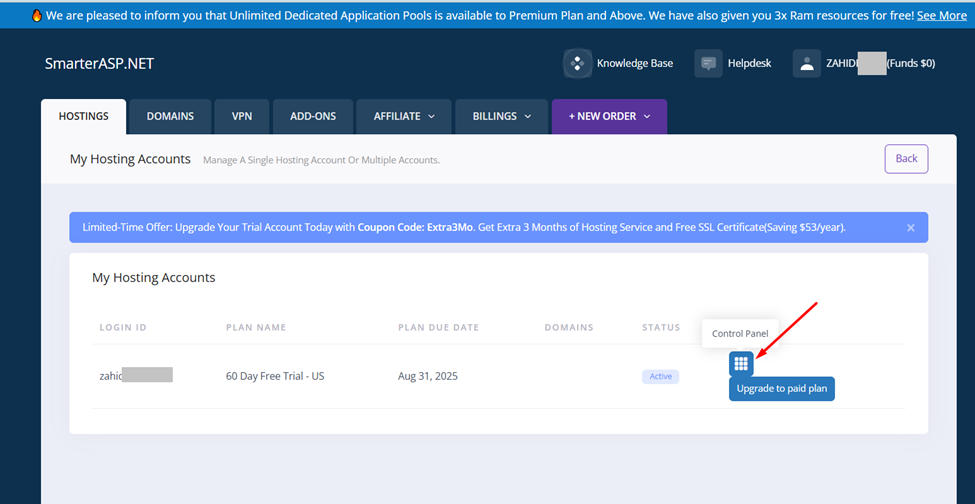
Once the hosting is created, you will see a dashboard interface. Click on “Control Panel” to begin uploading your web application.
✅ Step 4 Configure and upload your Database
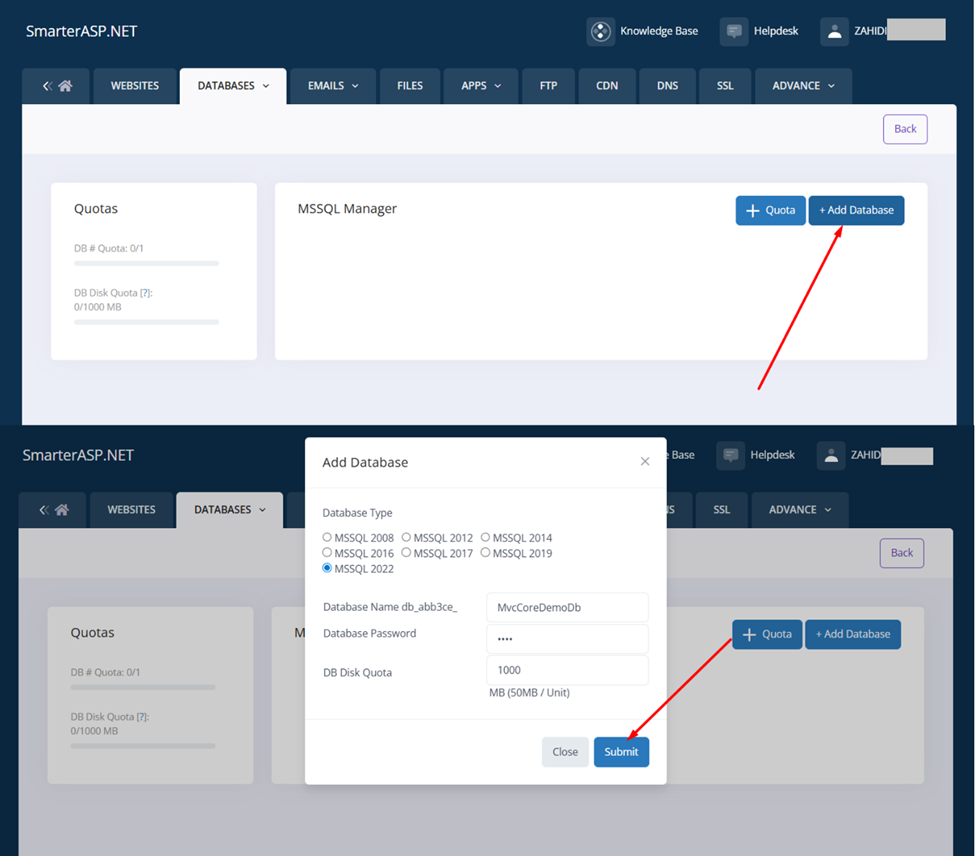
After clicking Control Panel in the previous step, you will see the Database option as shown below.
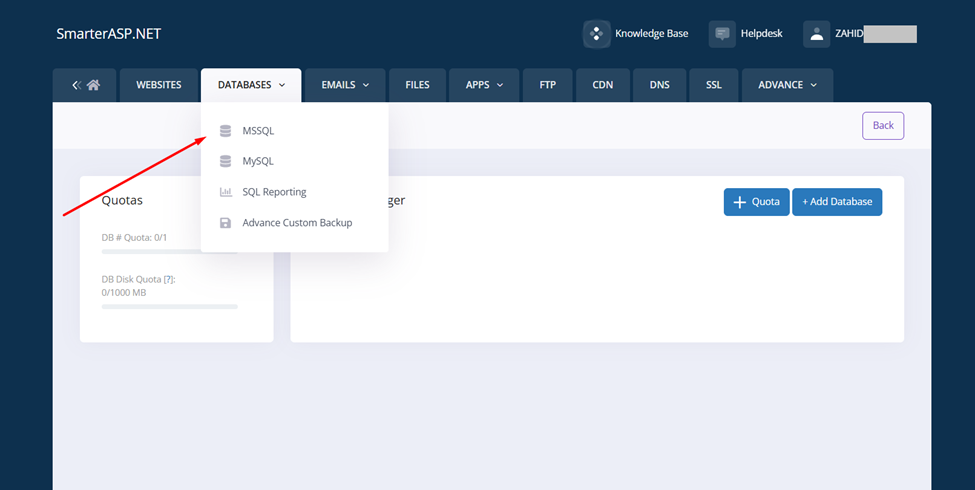
Create database as below
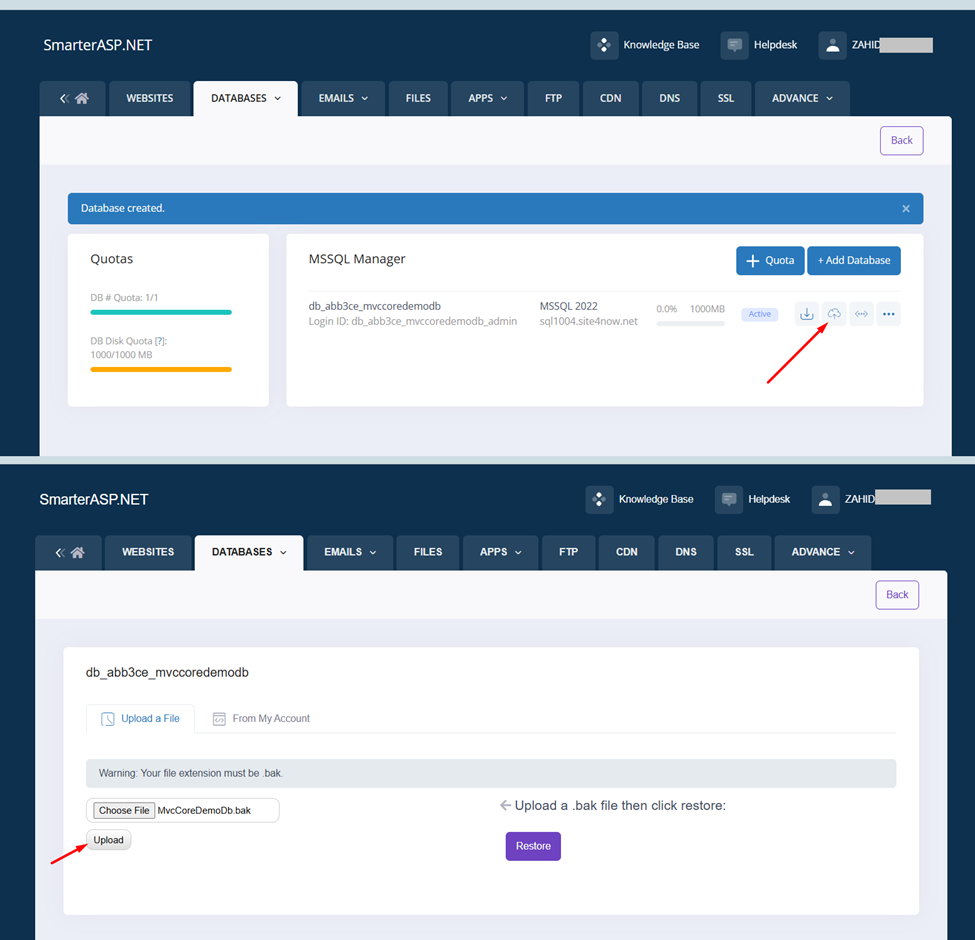
Restore your Database as below (For MS SQL Upload bak file)
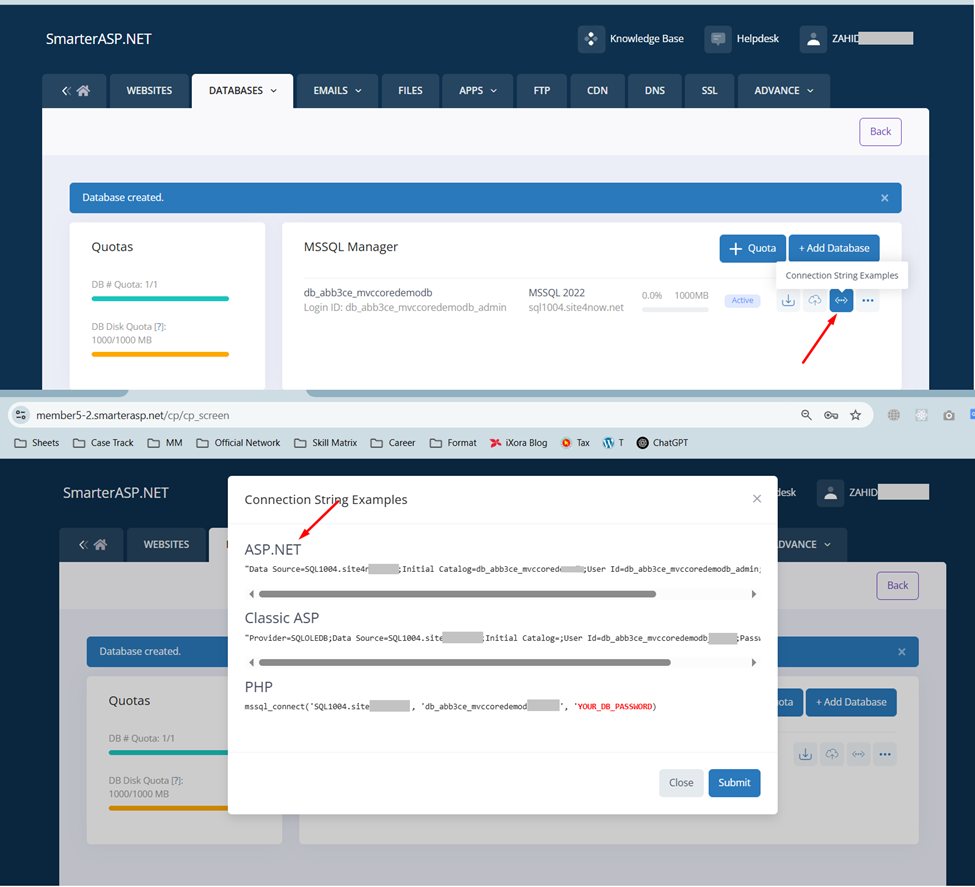
Get Your Connection String as Below
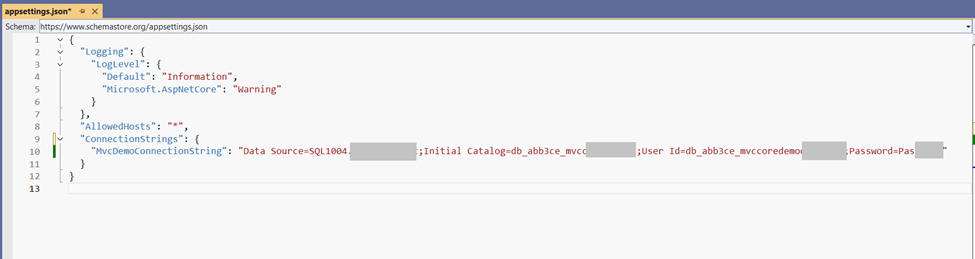
Test your Database
Put the value correctly in appsettings.json or web.config file
Then Run the application. It should be running properly on local host
Note (You Code is still locally but database is on cloud)
✅ Step 5 Deploy Your site
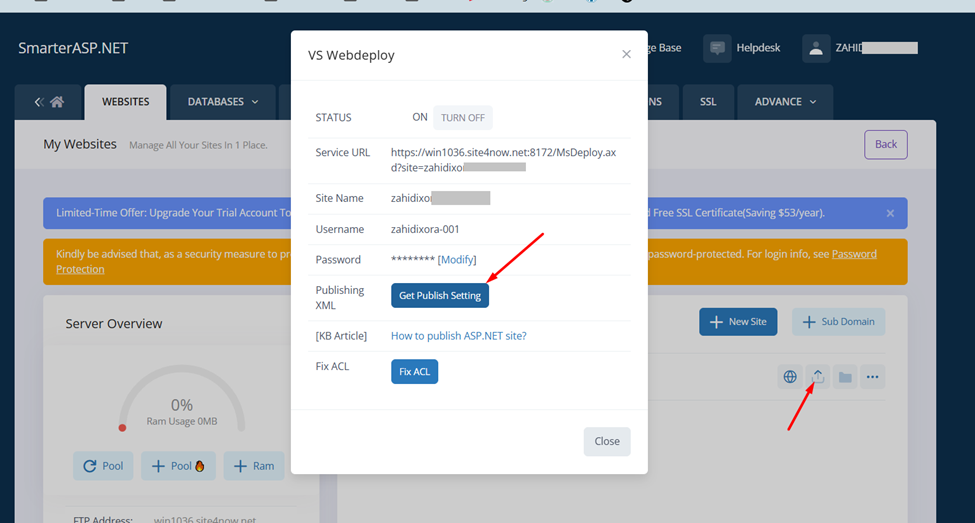
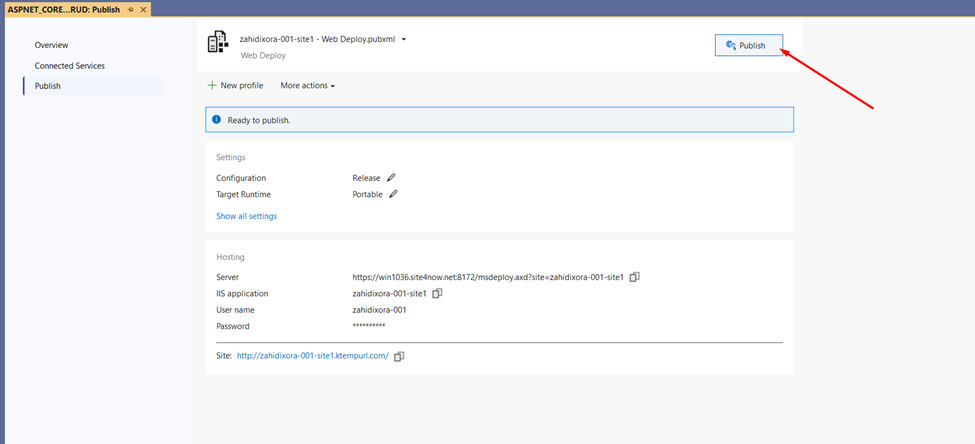
Get a published profile from here (It will download a file like site1.PublishSettings)
Then import the file from the project as below
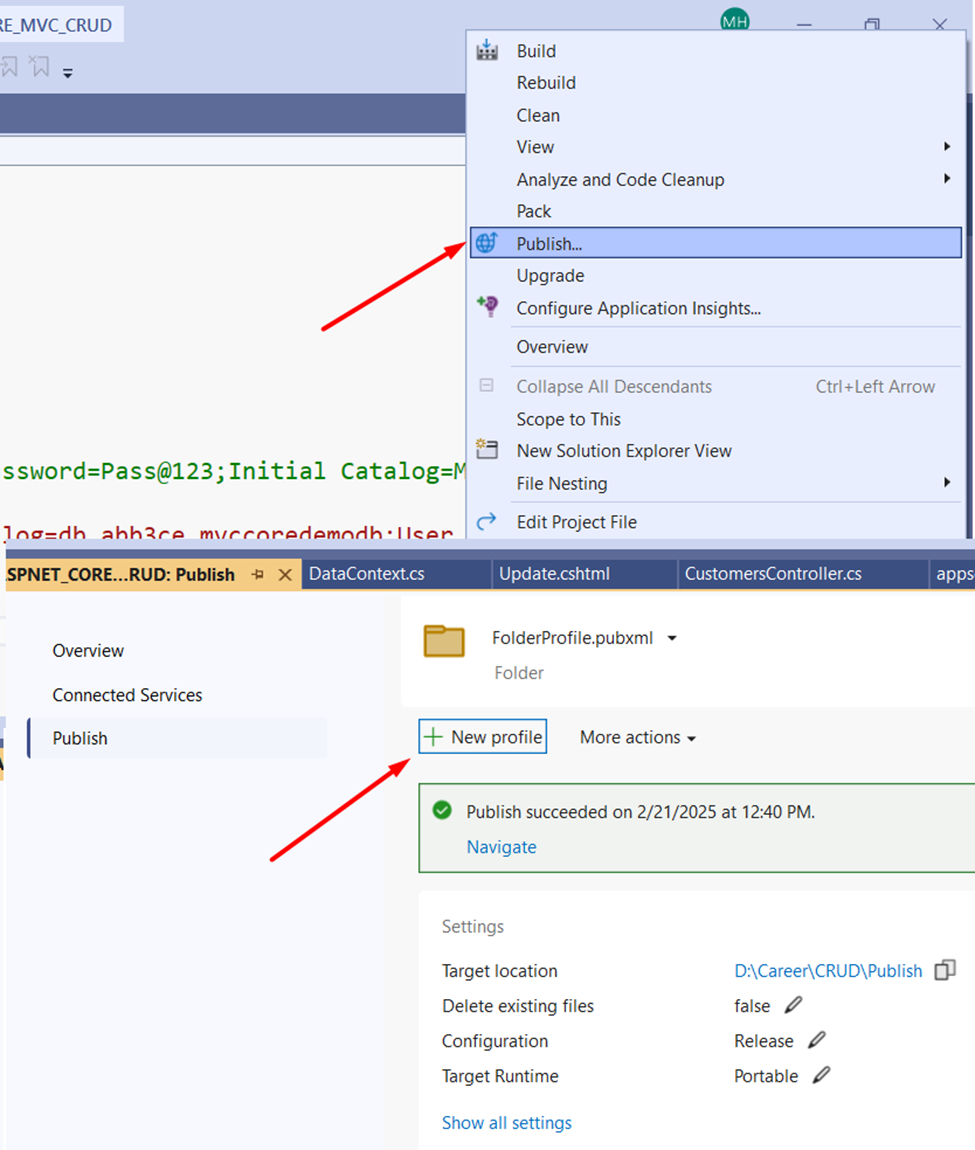
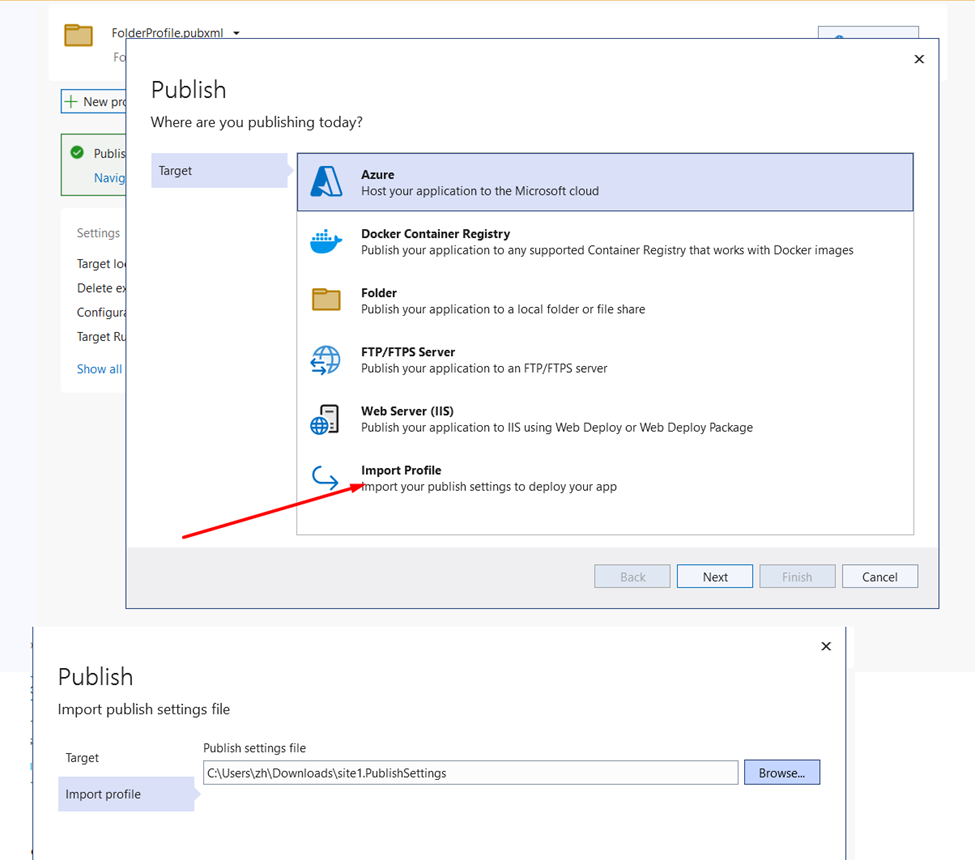
The profile will be imported and if you click publish it will be published directly on the cloud
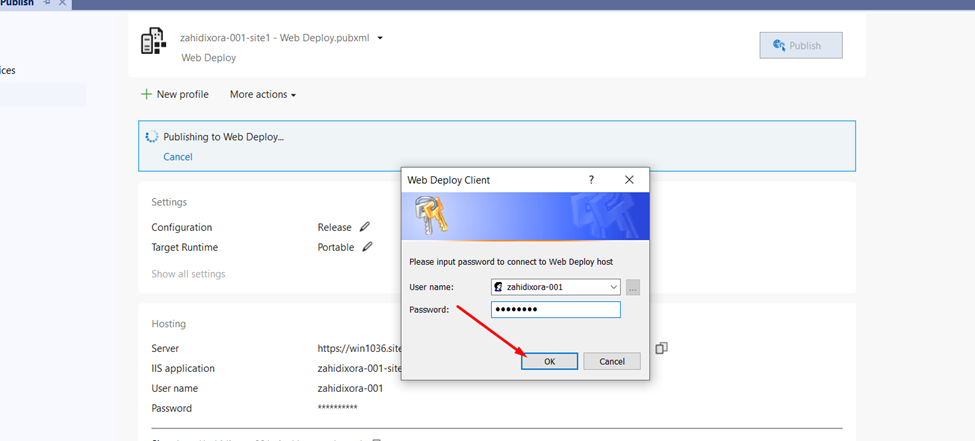
May ask your hosting password
A site will be opening on your browser
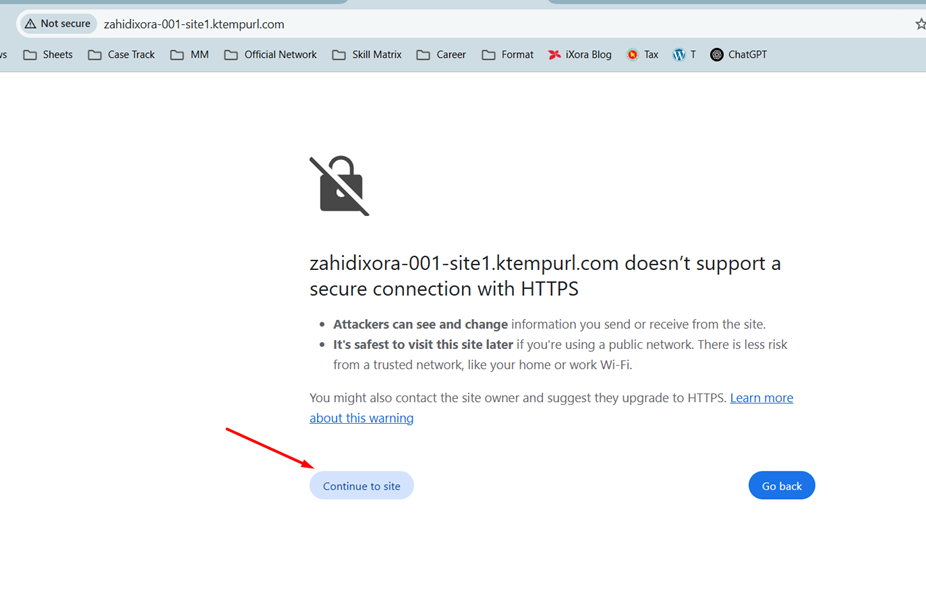
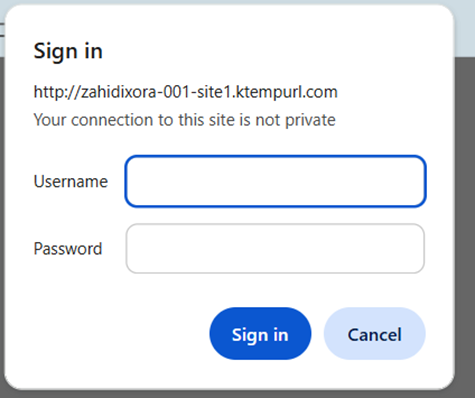
If you click continue to site. It will ask user name and password
Note: Do nothing here. It is appearing due to SSL issue you need to fix it from your account
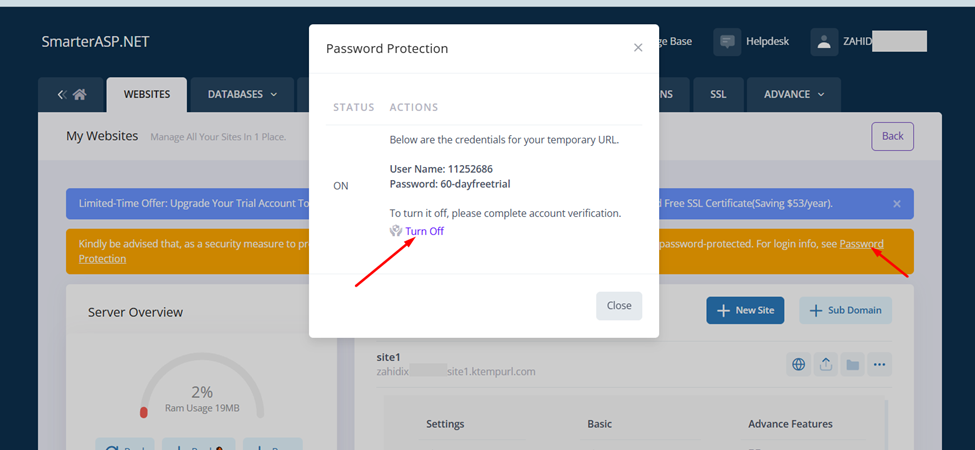
✅ Step 6: Password Protection using Google Authenticator
Go to your hosting control panelà web site tab and click Password Protection as below
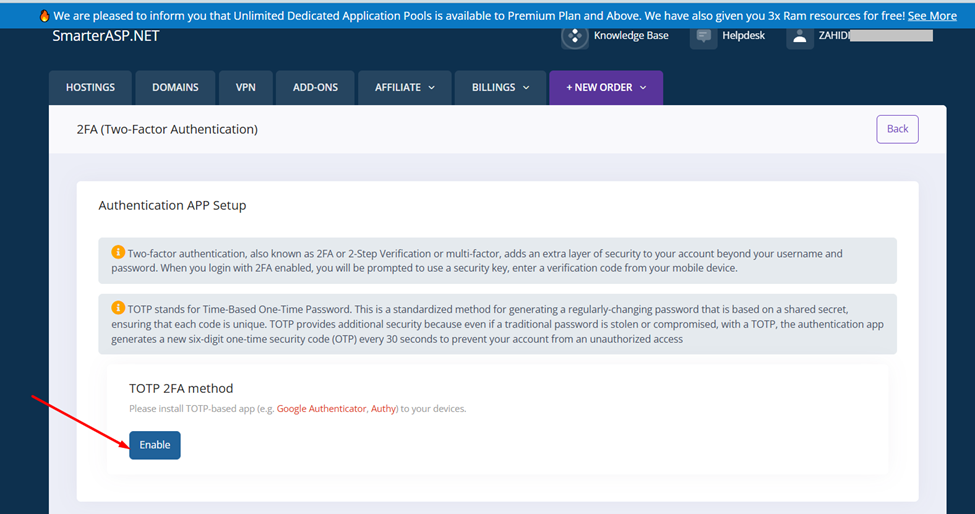
It will open a page like below. When you click Enable, it will pop up with a QR code
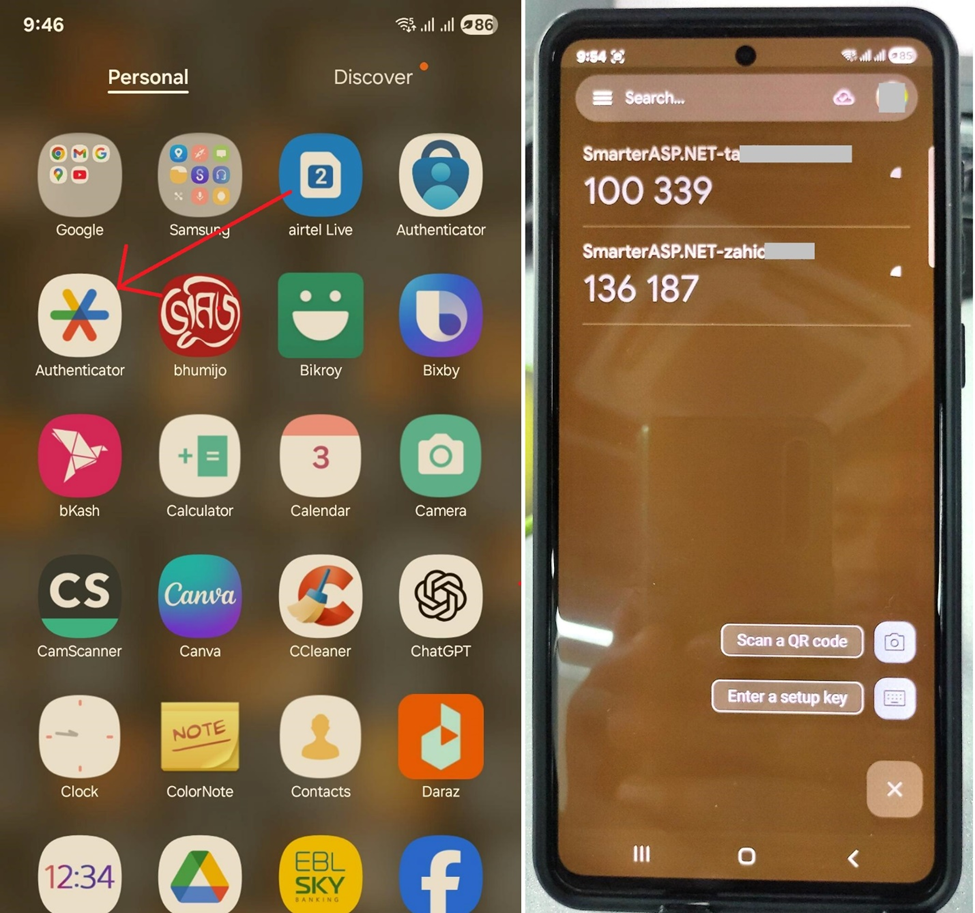
Use Google Authenticator from your mobile
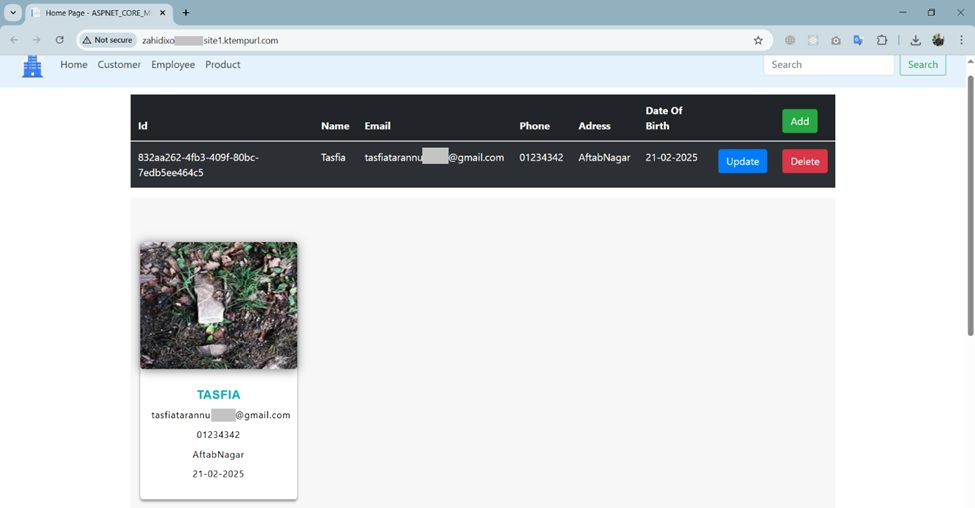
Then Simple reload your site It will not ask username and password any more
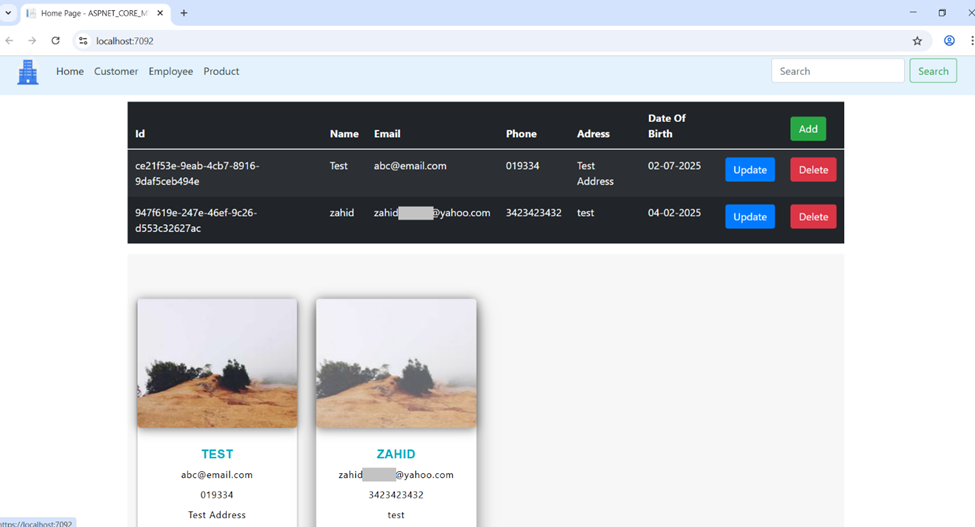
Your site will be loading normally as below
🎉 Conclusion
You’ve now deployed a .NET web app for free, with a cloud-hosted SQL database, and no credit card required — in just a few steps!
This method is ideal for:
- Portfolio demos
- Student projects
- Quick prototypes
Have questions or need help? Drop them in the comments or message me directly. Happy coding!
Experience the iXora Solution difference as your trusted offshore software development partner. We’re here to empower your vision with dedicated, extended, and remote software development teams. Our agile processes and tailored software development services optimize your projects, ensuring efficiency and success. At iXora Solution, we thrive in a dynamic team culture and experience innovation in the field of custom-made software development.
Have specific project requirements? Personalized or customized software solutions! You can contact iXora Solution expert teams for any consultation or coordination from here. We are committed to maximizing your business growth with our expertise as a custom software development and offshore solutions provider. Let’s make your goals a reality.
Thanks for your patience!

Add a Comment